
Download MarvelAI – AI‑Driven Business Intelligence Platform for Secure, Scalable Insights
Overview
MarvelAI is a next‑generation, AI‑driven business intelligence platform that transforms raw, unstructured data into clear, actionable insights for enterprises of any scale. Powered by state‑of‑the‑art machine‑learning algorithms, the solution automates repetitive data‑processing tasks, shortens reporting cycles, and fuels smarter decision‑making across a wide range of industries, including capital markets, insurance, banking, healthcare, and logistics. Its intelligent document processing engine can ingest PDFs, scanned forms, emails, and even handwritten notes, delivering up to 90 % faster processing times while maintaining an impressive 95 %+ accuracy rate.
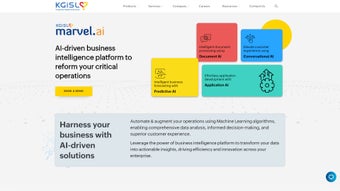
This speed translates directly into tangible cost savings, reduced manual effort, and faster time‑to‑insight for finance teams, claims adjusters, risk analysts, and operational managers. Beyond raw data crunching, MarvelAI incorporates a conversational AI layer that leverages natural language processing (NLP) to power chat‑based assistants and voice‑enabled bots. These agents can answer real‑time customer queries, guide users through complex workflows, and personalize interactions based on historical behavior, all without the need for custom coding.
The platform’s modular architecture includes industry‑specific products such as Dolphin Institutional for capital‑market analytics and NSure Claims for insurance claim automation. Each module inherits the core AI engine, ensuring consistency while allowing deep customization for sector‑specific nuances. Whether deployed on‑premise behind a corporate firewall or hosted securely in the cloud, MarvelAI offers end‑to‑end encryption, role‑based access control, and compliance with GDPR, HIPAA, SOC 2, and ISO 27001.
In short, MarvelAI converts data overload into strategic advantage, enabling businesses to move from reactive reporting to proactive, AI‑enabled planning. This overview sets the stage for a deeper dive into the platform’s most compelling features, real‑world installation steps, and the practical benefits you can expect after adoption.
Key Features, Pros & Cons
- Intelligent Document Processing: Automates extraction of data from invoices, contracts, and claim forms with 95 %+ accuracy, cutting manual entry errors dramatically.
- Advanced Predictive Analytics: Machine‑learning models forecast sales trends, credit risk, and market volatility, empowering data‑driven strategy.
- Conversational AI & NLP: Chatbots and voice assistants understand natural language, delivering instant support and personalized recommendations.
- Sector‑Specific Modules: Dolphin Institutional for finance, NSure Claims for insurance, and customizable add‑ons for other industries.
- Real‑Time Dashboards & Visualizations: Drag‑and‑drop widgets present KPIs, trend lines, and anomaly detection in an intuitive UI.
- Secure Cloud & On‑Premise Deployment: End‑to‑end encryption, role‑based access control, and compliance with GDPR, HIPAA, and SOC 2.
- API‑First Architecture: Seamless integration with ERP, CRM, and legacy systems through RESTful APIs and webhooks.
- Automated Model Management: Continuous learning pipelines retrain models on fresh data, ensuring insights stay current.
- Scalable Infrastructure: Auto‑scaling clusters on AWS, Azure, or Google Cloud handle peak workloads without performance loss.
- Audit Trail & Governance: Full lineage tracking for data provenance, model decisions, and user actions.
Pros
- High accuracy in document processing reduces manual effort and associated errors.
- Scalable AI models keep insights up‑to‑date with minimal latency.
- Industry‑specific modules accelerate time‑to‑value for finance, insurance, and other sectors.
- Robust security and compliance features meet stringent enterprise standards.
- Extensive API ecosystem simplifies integration with existing technology stacks.
- Intuitive drag‑and‑drop dashboard reduces the learning curve for non‑technical users.
- Continuous model retraining ensures predictive analytics remain relevant over time.
- Multi‑platform support (Windows, macOS, Linux, Android, iOS) offers flexibility for remote teams.
Cons
- Initial setup can be complex for organizations lacking dedicated IT resources.
- Advanced predictive modeling may require data‑science expertise to fine‑tune for optimal results.
- License cost is higher than basic BI tools, reflecting its enterprise‑grade capabilities.
- Real‑time streaming analytics demand a properly sized cloud infrastructure to avoid bottlenecks.
- Comprehensive feature set may overwhelm small teams without proper training.
In practice, most users find the advantages far outweigh the drawbacks, especially when paired with a knowledgeable implementation partner. The platform’s intuitive UI, extensive documentation, and built‑in training videos help mitigate the learning curve, while the modular pricing model allows organizations to start small and expand as ROI becomes evident. Overall, MarvelAI delivers a blend of power, flexibility, and security that scales from mid‑market firms to Fortune 500 enterprises.
Installation & Usage Instructions – From Download to Daily Operations
Getting started with MarvelAI is straightforward, regardless of whether you opt for a cloud‑hosted instance or an on‑premise deployment. Begin by downloading the installer from the official MarvelAI website; the download portal provides separate packages for Windows, macOS, Linux, and containerized Docker images. After you have the appropriate package, follow these detailed steps:
- Run the Installer: On Windows, double‑click the
.exefile; on macOS, open the.dmgand follow the wizard; on Linux, execute the.shscript withsudoprivileges. For Docker, pull the official image and run it with the recommended environment variables. - Configure Database Connections: MarvelAI supports PostgreSQL, MySQL, Microsoft SQL Server, and Oracle. Input your credentials through the graphical setup UI or define them as environment variables for container deployments.
- Set Up the AI Engine: The installer provisions the machine‑learning runtime automatically. If you have GPU hardware, enable CUDA support during setup to accelerate model training and inference.
- Activate Your License: Enter the license key received via email. A 30‑day free‑trial key is also available for evaluation without credit‑card information.
- Launch the Dashboard: Once installation completes, open a browser and navigate to
https://localhost:8443. Log in with the admin credentials you created during setup. - Onboarding Wizard: The first‑time login triggers an onboarding wizard that guides you through data source onboarding, model selection, and initial dashboard creation. You can import documents via drag‑and‑drop or point the platform to an S3 bucket for automated ingestion.
- Daily Operations: Users can create custom queries with the built‑in query builder, schedule recurring reports, and set alerts for KPI thresholds. Power users may leverage the CLI to script batch jobs, trigger model retraining, or export data extracts for offline analysis.
- Support Resources: Comprehensive documentation, video tutorials, and a community forum are available in the Help Center. For enterprise customers, a dedicated success manager can provide tailored onboarding sessions and best‑practice workshops.
By following these steps, teams can move from a fresh download to a fully operational analytics environment in under an hour, ensuring rapid time‑to‑value and minimal disruption to existing workflows.
Frequently Asked Questions
Can MarvelAI be deployed on‑premise as well as in the cloud?
Yes. MarvelAI offers both on‑premise installations for organizations with strict data‑sovereignty requirements and cloud‑hosted options on AWS, Azure, or Google Cloud. The same core engine powers both deployments, ensuring feature parity.
What data‑security certifications does MarvelAI hold?
MarvelAI complies with GDPR, HIPAA, SOC 2 Type II, and ISO 27001. All data in transit is encrypted with TLS 1.3, and at rest encryption uses AES‑256. Role‑based access control and immutable audit logs further protect sensitive information.
How does the pricing model work for small businesses?
MarvelAI provides a tiered subscription model based on the number of active users, data volume, and required modules. A “Starter” tier offers core analytics and document processing at a reduced monthly fee, making it affordable for small and mid‑size firms.
Is there a free trial available?
Yes. Prospective customers can request a 30‑day free trial that includes full access to all features, including Dolphin Institutional and NSure Claims. No credit card is required to activate the trial.
Can MarvelAI integrate with existing ERP and CRM systems?
Absolutely. The platform’s API‑first design supports seamless integration with major ERP (SAP, Oracle, Microsoft Dynamics) and CRM (Salesforce, HubSpot) solutions. Pre‑built connectors are also available for faster deployment.
What operating systems are supported by MarvelAI?
MarvelAI runs on Windows 10/11 (64‑bit), macOS 12 Catalina or later, major Linux distributions such as Ubuntu 20.04+ and Red Hat 8+, and container environments via Docker 20.10+. Mobile companion apps are available for Android 9+ and iOS 13+.
Conclusion – Why MarvelAI Is the Smart Choice for Future‑Ready Enterprises
In an era where data velocity and customer expectations are accelerating, MarvelAI equips businesses with the AI horsepower needed to stay ahead. Its blend of intelligent document processing, predictive analytics, and conversational AI creates a unified intelligence layer that reduces manual workloads, sharpens decision‑making, and elevates customer experiences. While the platform’s enterprise‑grade pricing and initial implementation effort may be higher than basic BI tools, the measurable gains in efficiency, accuracy, and revenue growth quickly offset those costs.
Whether you operate in capital markets, insurance, banking, healthcare, or any data‑rich industry, MarvelAI offers tailored modules that speak directly to your unique challenges. Ready to transform your operations with a secure, scalable AI platform? Download MarvelAI today and start a free trial to experience the future of business intelligence.






